Transactions & accounts
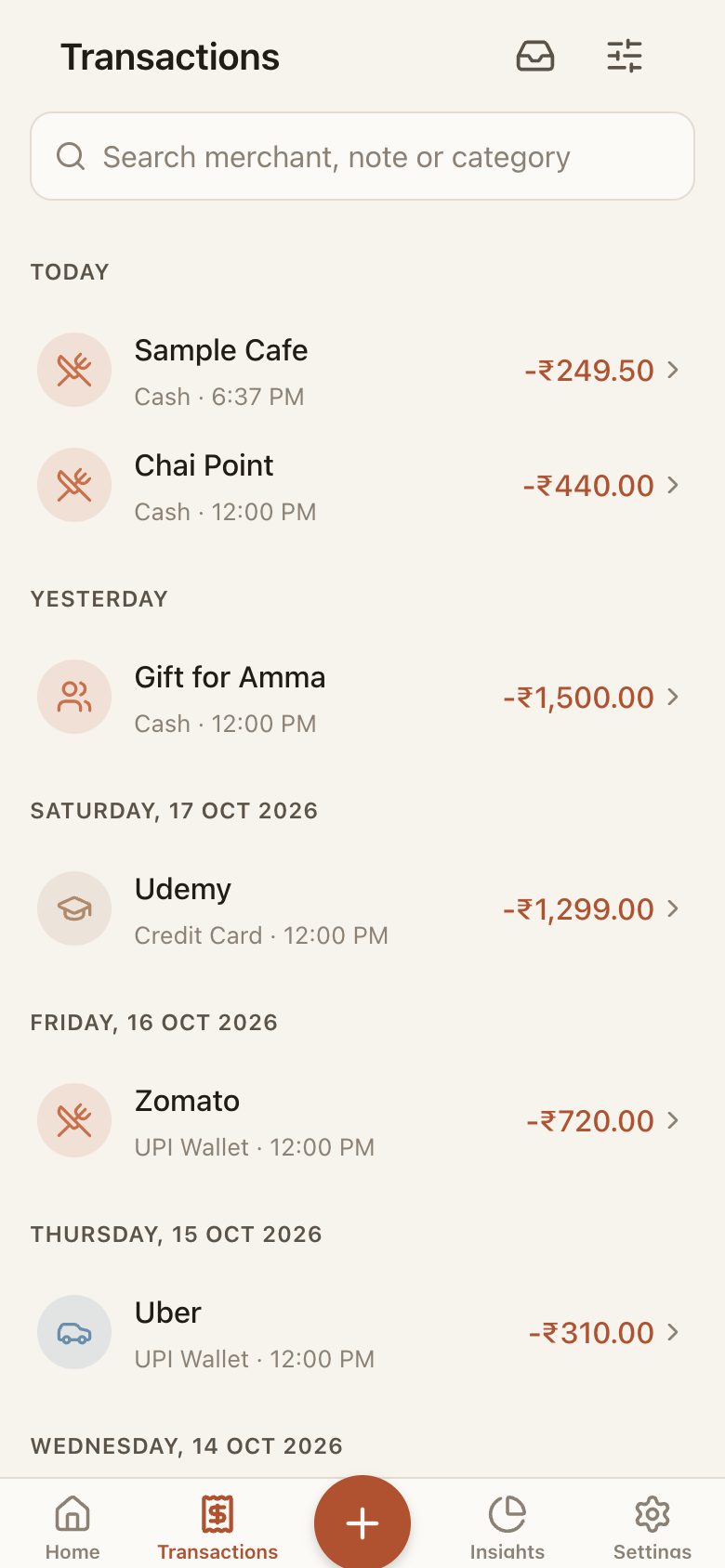
Income, expense and transfer between cash, bank, UPI wallet and credit card. Categories, tags, merchant, notes and payment method. Soft delete with undo.
Offline-first · Private · Made for ₹
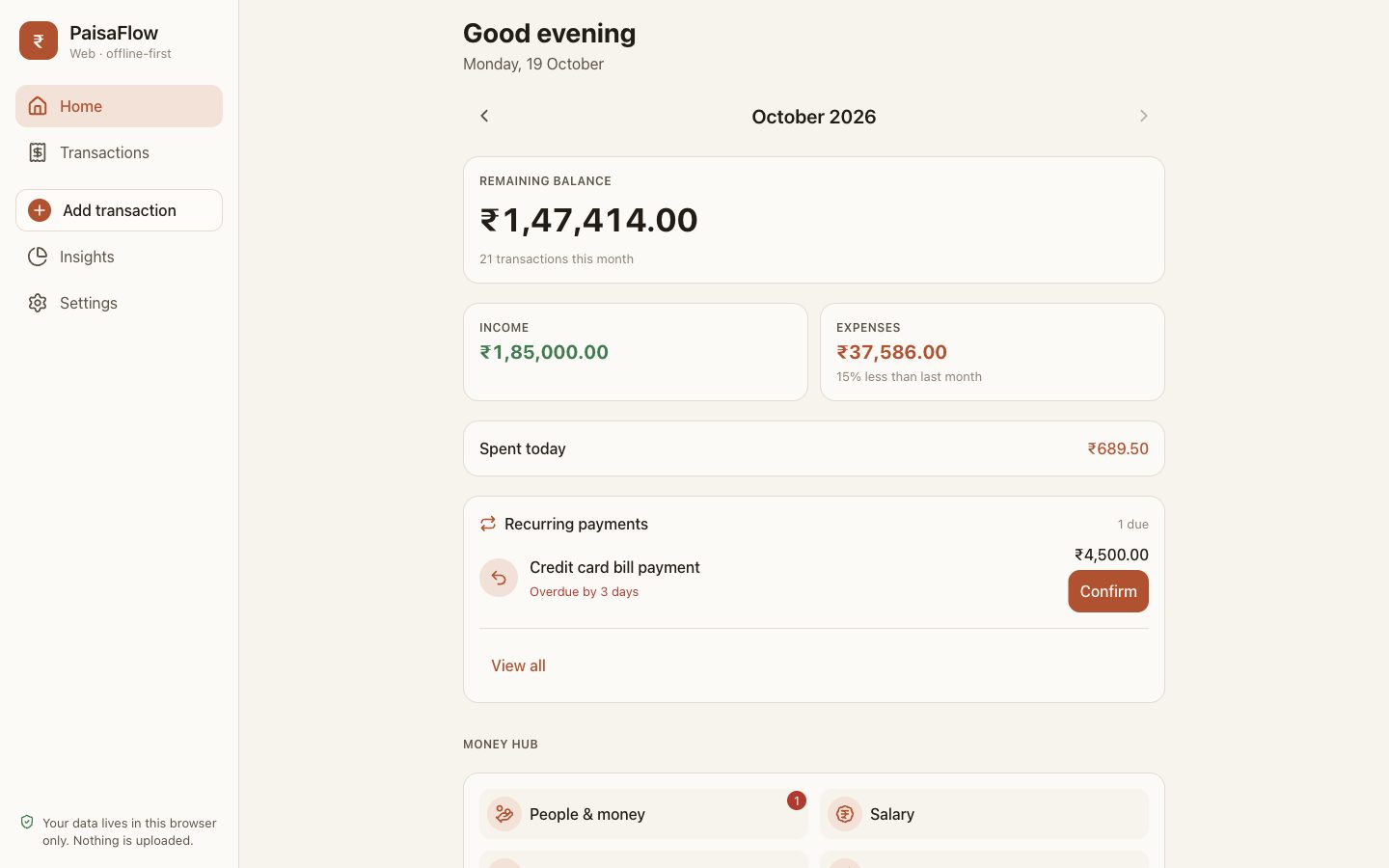
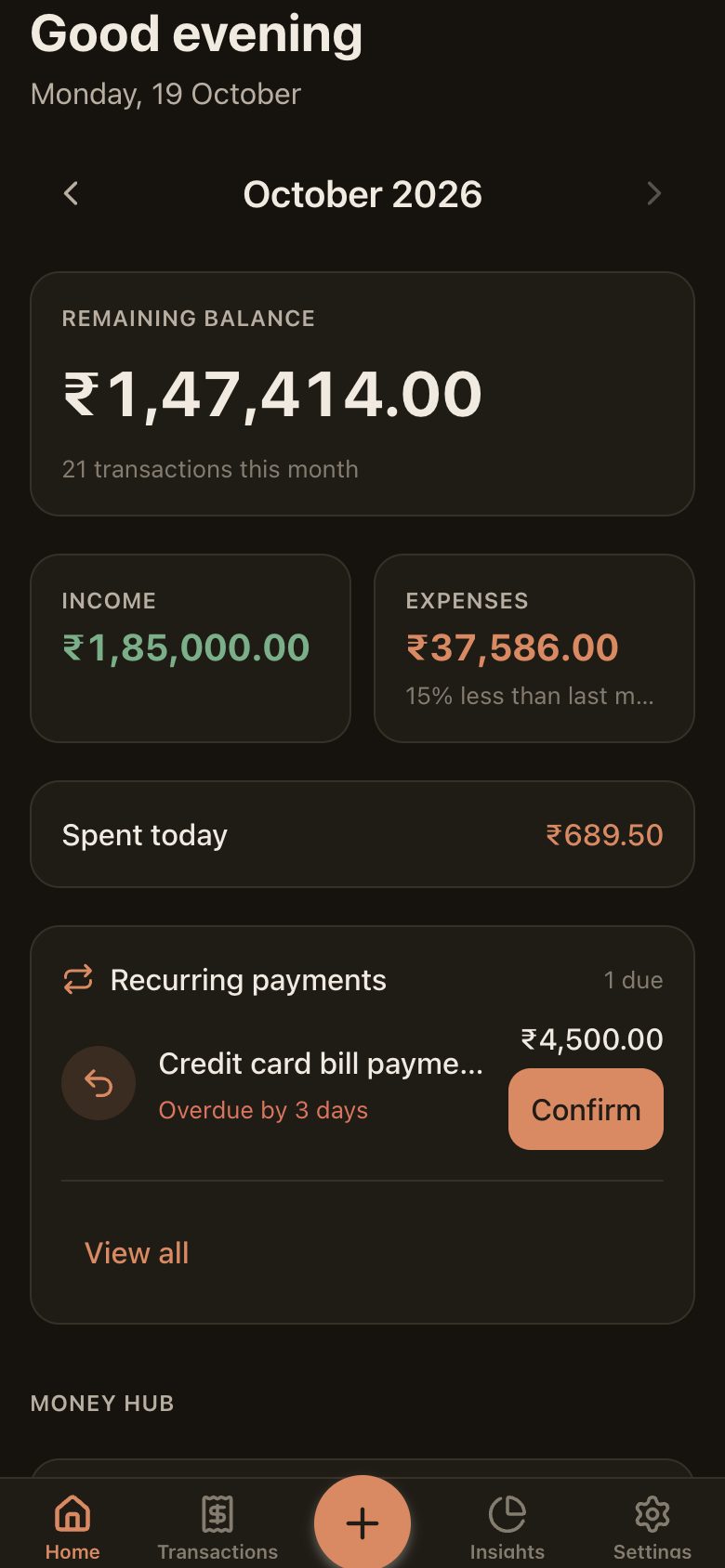
PaisaFlow is an expense tracker that keeps every rupee on your device — a real SQLite database, no account, no server, no analytics. Log a chai in two taps, see salary day coming, and know exactly who still owes you ₹500.
What is inside
Not a dashboard for a hypothetical user — the screens that came out of tracking real salary days, UPI splits and "bhai, kab lautayega?".
Income, expense and transfer between cash, bank, UPI wallet and credit card. Categories, tags, merchant, notes and payment method. Soft delete with undo.
An overall budget plus per-category limits, on a monthly cycle that can start on the day you actually get paid.
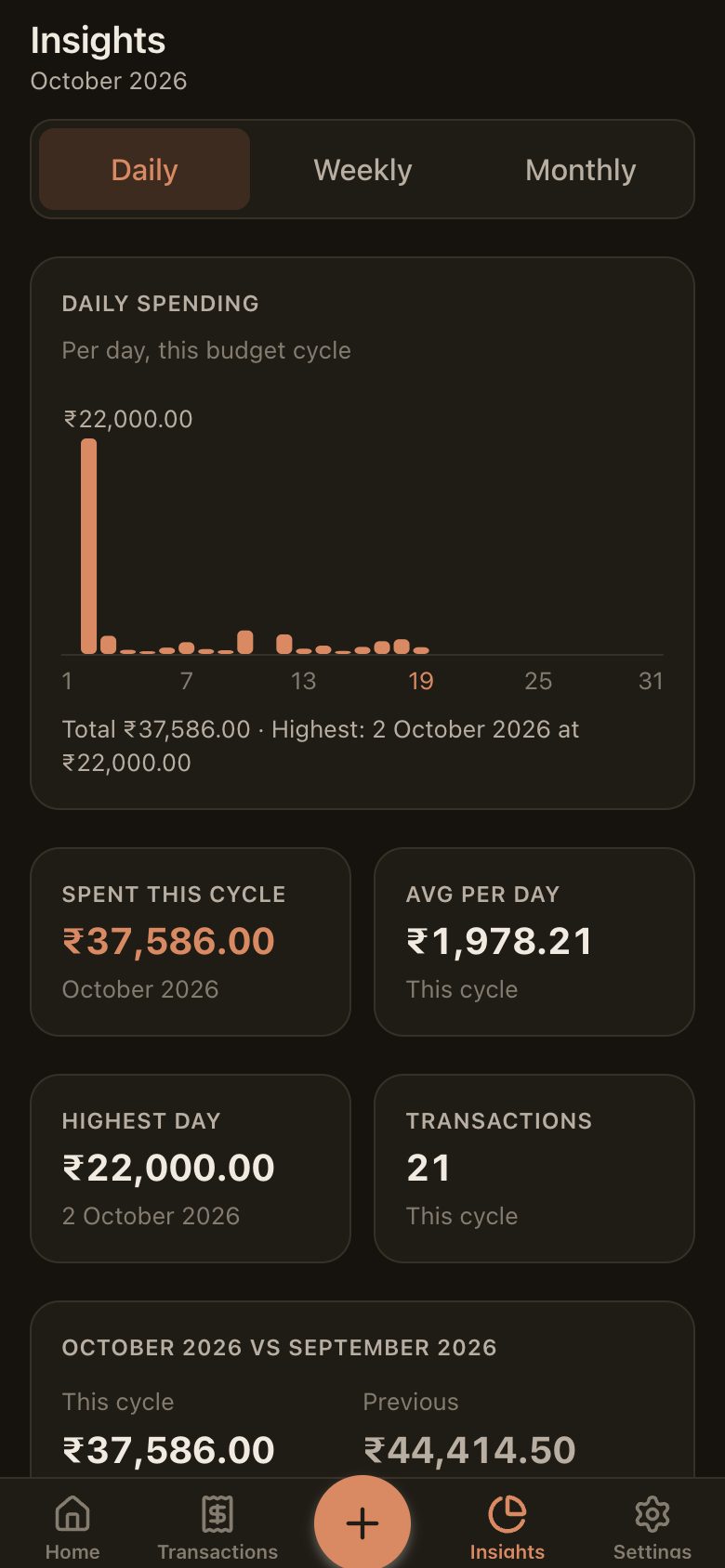
Daily, weekly and monthly trends and a category breakdown — drawn as plain SVG from local SQL aggregates.
Rent, subscriptions and credit-card bills with due and overdue tracking, month-end clamping and one-tap confirm.
Expected day, one-tap "credited", plus partial, bonus and delayed states — with a history per month.
A personal lending ledger: who you lent to or borrowed from, partial repayments, due dates and follow-ups by call, SMS or WhatsApp.
Mutual funds, FDs, RDs, PPF, stocks, gold — contributions, manual valuation, gain or loss, allocation and maturity dates.
Targets with scheduled contributions, suggested amounts and progress that only moves when you actually save.
Morning and evening nudges whose text is composed from your own data: due lendings, salary, SIPs, goals, today's spend.
A 4–6 digit PIN. On Android it lives in the Keystore and re-locks after 30 seconds in the background.
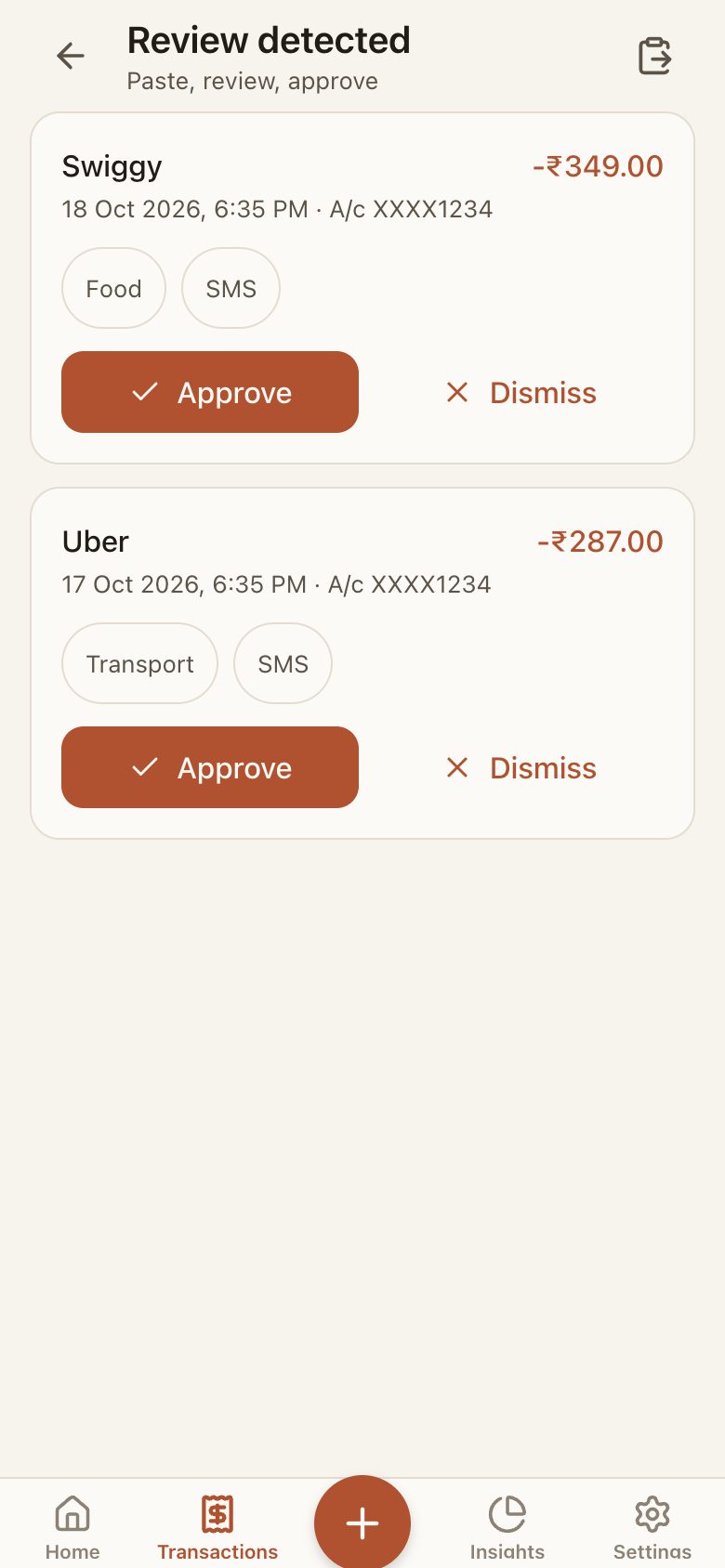
Bank and UPI alerts are parsed on the phone into a review inbox — approve to add, dismiss to ignore. OTPs and promos are skipped. On the web, paste the alert text instead.
Optional monthly narrative via OpenRouter with an API key you bring. Only aggregates leave the device — never notes or transaction lists — and the app never lets AI do the arithmetic.
Privacy, specifically
Browser storage is less protected than a phone's keystore: anyone with access to your browser profile can read it. The web app says so where it matters, and keeps API keys encrypted at rest. For the strongest protection, use the Android app.
Same code, two homes
One React Native codebase. The web build swaps the native pieces for browser ones and is upfront about what it cannot do.
| Capability | Web | Android |
|---|---|---|
| Tracking, budgets, insights, money hub | Yes | Yes |
| Storage | SQLite (WASM) in IndexedDB | SQLite on device |
| Works offline | Yes, after first load | Yes |
| SMS auto-tracking | No — paste alerts instead | Yes |
| Reminders | Only while a tab is open | Scheduled, wakes the phone |
| App lock | PIN hash in browser | PIN in Android Keystore |
| AI summary (your OpenRouter key) | Yes, key encrypted in browser | Yes, key in Keystore |
| Cloud backup (your Supabase) | No | Yes |
| CSV export | Download | Share sheet |
Get it
The web app needs nothing from you — it even offers sample data on first run so you can poke around. The Android app is not on the Play Store yet; the APK is shared on request.